
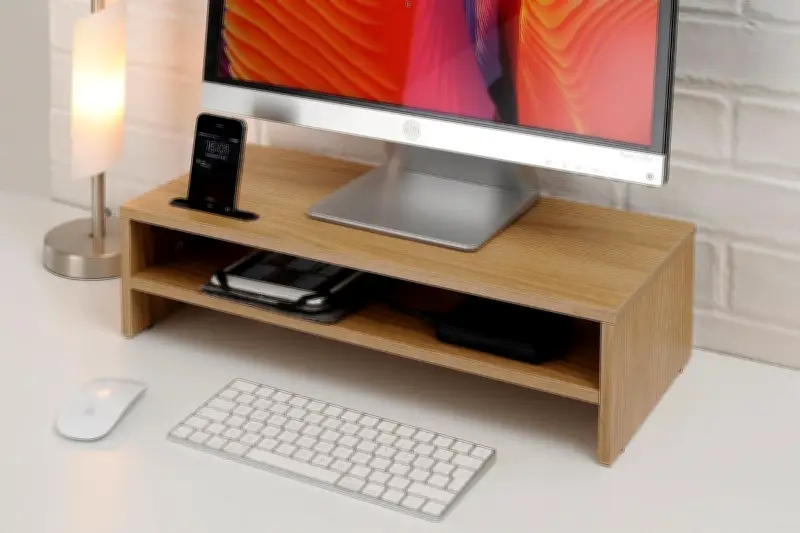
Working from home has become the new normal for many, but it often comes with a cost: poor posture and cluttered desks. An ergonomic monitor riser can be a simple yet effective solution to both issues. By elevating your screen to eye level, it helps align your spine, reducing strain on your neck and shoulders. Additionally, it frees up valuable desk space, allowing for better organisation of your workspace.
Why You Need a Monitor Riser
Prolonged periods of looking down at a laptop or low monitor can lead to 'tech neck' and other musculoskeletal problems. A monitor riser brings the screen to a height where your eyes naturally look straight ahead, promoting a neutral spine position. This can prevent headaches, eye fatigue, and long-term back issues.
Key Benefits
- Improved Posture: Elevating your monitor to eye level encourages a straight back and relaxed shoulders.
- Increased Desk Space: Most risers have a platform that lifts the monitor, creating storage underneath for keyboards, notebooks, or other essentials.
- Better Organisation: With designated spots for items, your desk stays tidy and efficient.
- Enhanced Productivity: A comfortable and organised workspace can boost focus and efficiency.
Choosing the Right Monitor Riser
When selecting a monitor riser, consider the following factors:
- Height Adjustment: Look for adjustable options to customise the height to your eye level.
- Weight Capacity: Ensure it can support your monitor's weight, including any additional accessories.
- Material: Wood, metal, or plastic risers each have their own aesthetic and durability.
- Additional Features: Some risers come with built-in USB ports, cable management, or drawers.
Top Picks for 2024
Our experts have tested several models. Here are our top recommendations:
- ErgoPro Adjustable Riser: Offers height adjustability from 2 to 6 inches, sturdy metal construction, and a cable management tray.
- DeskSpace Wooden Riser: A stylish bamboo option with a built-in drawer for small items, supporting up to 22 pounds.
- TechOrganizer Pro: Features a USB hub and non-slip surface, perfect for multiple devices.
Setting Up Your Monitor Riser
To maximise benefits, follow these steps:
- Place the riser directly in front of you.
- Adjust the height so the top of the monitor is at or just below eye level.
- Position the monitor an arm's length away.
- Ensure the keyboard and mouse are at elbow height.
Additional Tips for Home Office Ergonomics
- Use a supportive chair with lumbar support.
- Take regular breaks to stand and stretch.
- Keep frequently used items within easy reach.
- Consider a standing desk converter for variation.
Investing in a monitor riser is a small change that can make a big difference to your health and productivity. With the right choice, you can transform your home office into a comfortable, efficient, and organised space.